
Screenshots
App details
- Updated
- Apr 2, 2025
- Language
- English,German,Greek,Spanish
- Developer
- Turbo-Play.COM
- Category
- Mobile
SoftPas in:
This product is also available in the following languages:
About Turbo Play
Download Turbo Play – AI video editor, video editing app, multimedia creation tool, animation editor, 8K video editor, audio editing tool
Overview
Turbo Play is a multifunctional mobile application developed by TurboPlay Inc., designed to serve as a comprehensive platform for multimedia creation. Positioned within the Productivity category, it caters to both casual users and professionals seeking a robust solution for video, audio, and animation projects. The app integrates AI-driven capabilities across multiple media types, aiming to streamline content creation and enhance creative output. With support for up to 8K rendering and a wide range of visual and audio effects, Turbo Play is positioned as a versatile tool in the modern creator ecosystem.
Its core purpose lies in simplifying complex editing workflows through intelligent automation, making advanced features accessible without requiring deep technical expertise. Users can expect to manage projects from concept to final export with integrated tools for video editing, audio manipulation, image enhancement, and animation. Real-world use cases include social media content creation, short-form video production, podcast editing, and independent filmmaking. The app’s emphasis on high-quality rendering and GPU-accelerated effects suggests it is built for users who demand professional-grade results on mobile devices.
Although the developer did not provide additional technical details about the company’s background or prior projects, Turbo Play’s feature set indicates a focus on innovation and performance. The release date of April 2, 2025, marks its entry into a competitive market where mobile editing tools are increasingly expected to deliver desktop-level capabilities. By combining AI integration with powerful rendering and file management features, Turbo Play aims to fill a gap for creators who need flexibility, speed, and precision in a single mobile application.
Key Features & Functionality
Turbo Play offers a suite of advanced tools tailored to modern multimedia creators. The app’s AI integration spans image, video, text, and sound processing, enabling intelligent automation that reduces manual effort while improving output quality. For example, AI-powered video stabilization can correct shaky footage in real time, while AI-based color correction adjusts tones automatically for a polished look. These features are particularly beneficial for users without formal training in post-production.
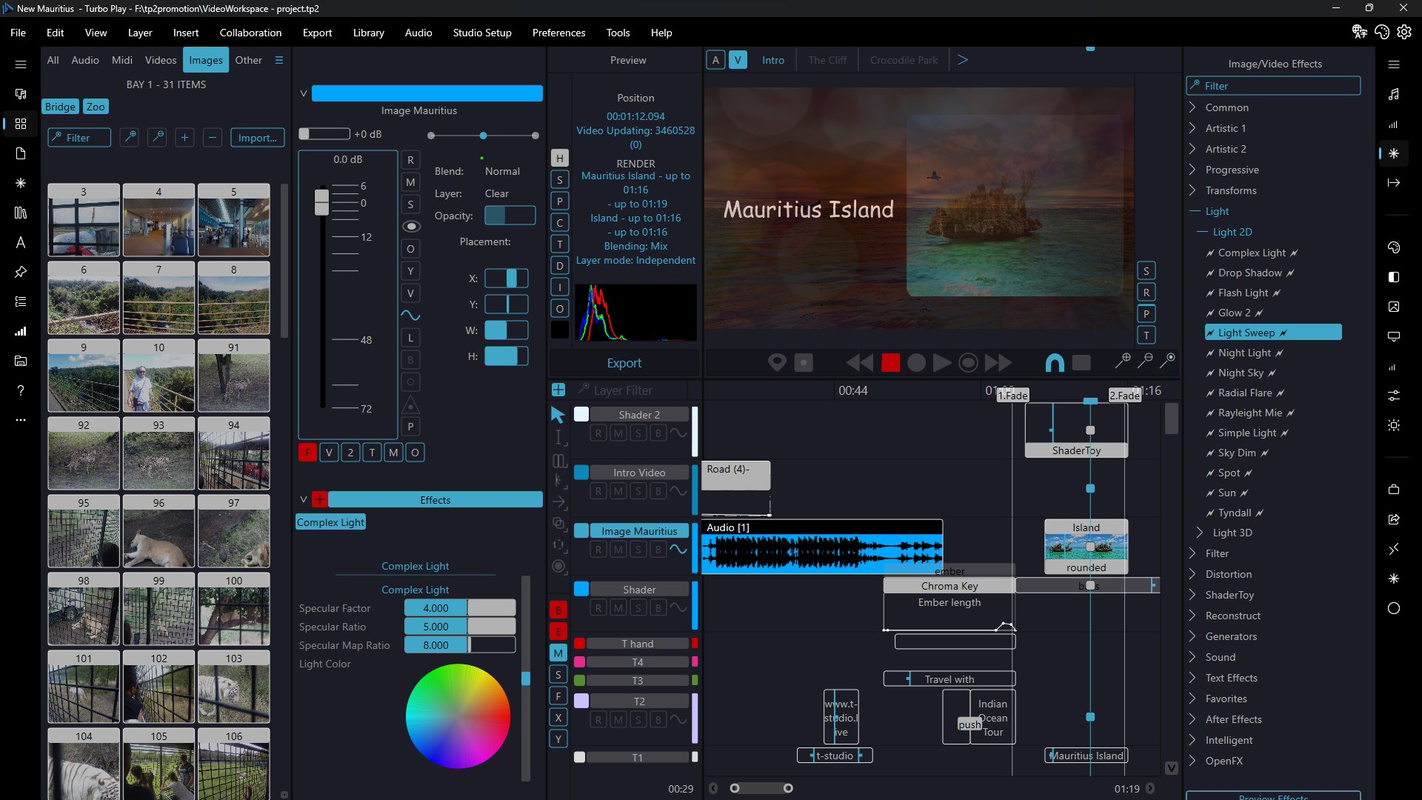
The app includes over 300 GPU-accelerated video and image effects and transitions, allowing users to experiment with dynamic visual styles. Whether applying cinematic filters, smooth cross-dissolves, or animated overlays, creators can enhance their content with minimal latency. This extensive library supports diverse creative needs, from vlogs to promotional videos.
High-quality rendering is a standout feature, supporting H.264, H.265, and VP9 formats with up to 8K resolution. This ensures that exported videos maintain exceptional clarity and detail, suitable for high-end platforms or professional presentations. HDR editing further enhances contrast and color depth, contributing to visually striking results.
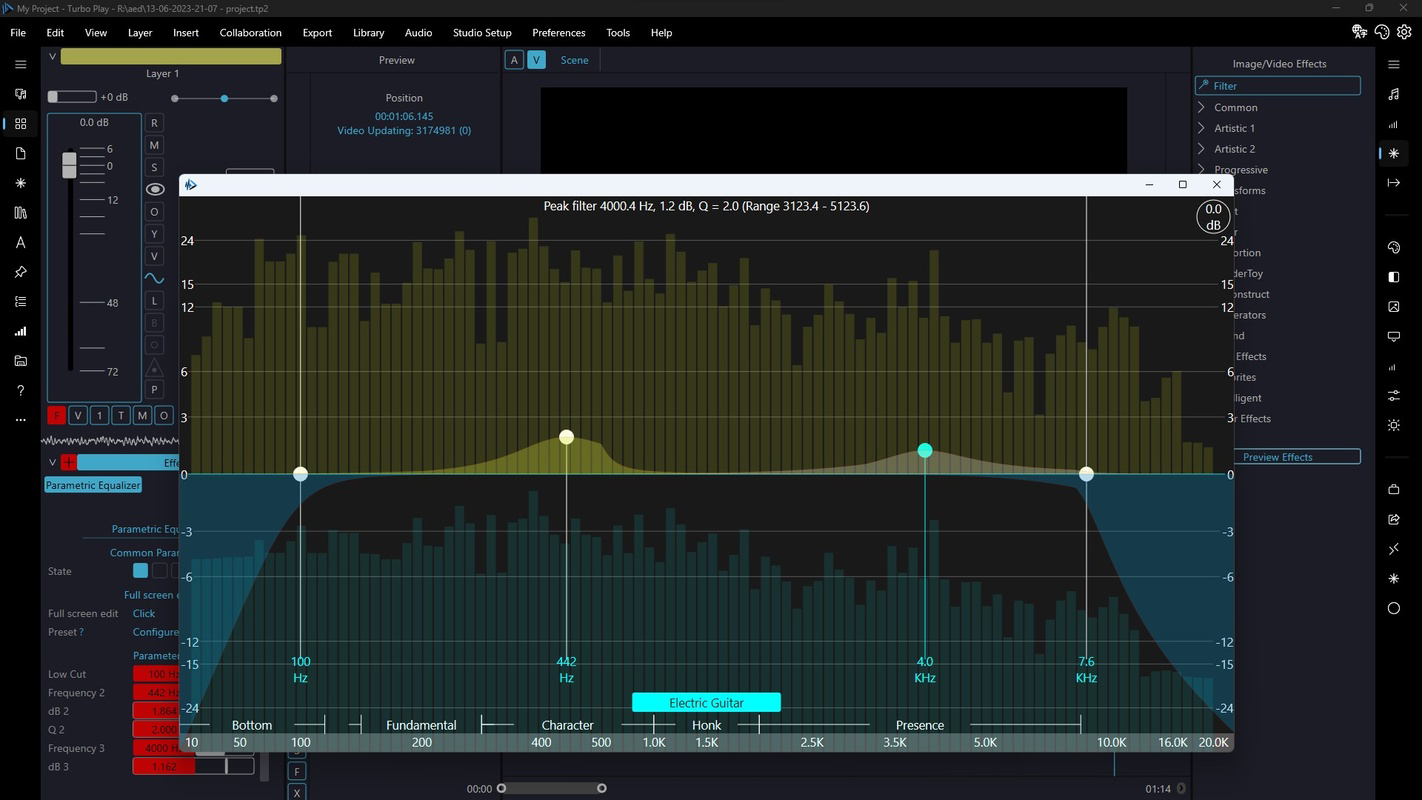
Advanced audio features include VST plugin support, modulation, and filtering options, enabling intricate sound design. The inclusion of an 8+GB orchestral audio library provides rich, ready-to-use tracks for background scoring. Additionally, intelligent OpenCV and OCR functionalities allow for smart file handling, such as text extraction from images or automatic PDF processing, expanding the app’s utility beyond traditional editing.
- AI-powered video stabilization and enhancement
- Over 300 GPU-accelerated video and image effects
- Support for 8K rendering with H.264, H.265, and VP9 formats
- VST plugin support and advanced audio filtering
- 8+GB orchestral audio library for music creation
- OCR and OpenCV-based intelligent file processing
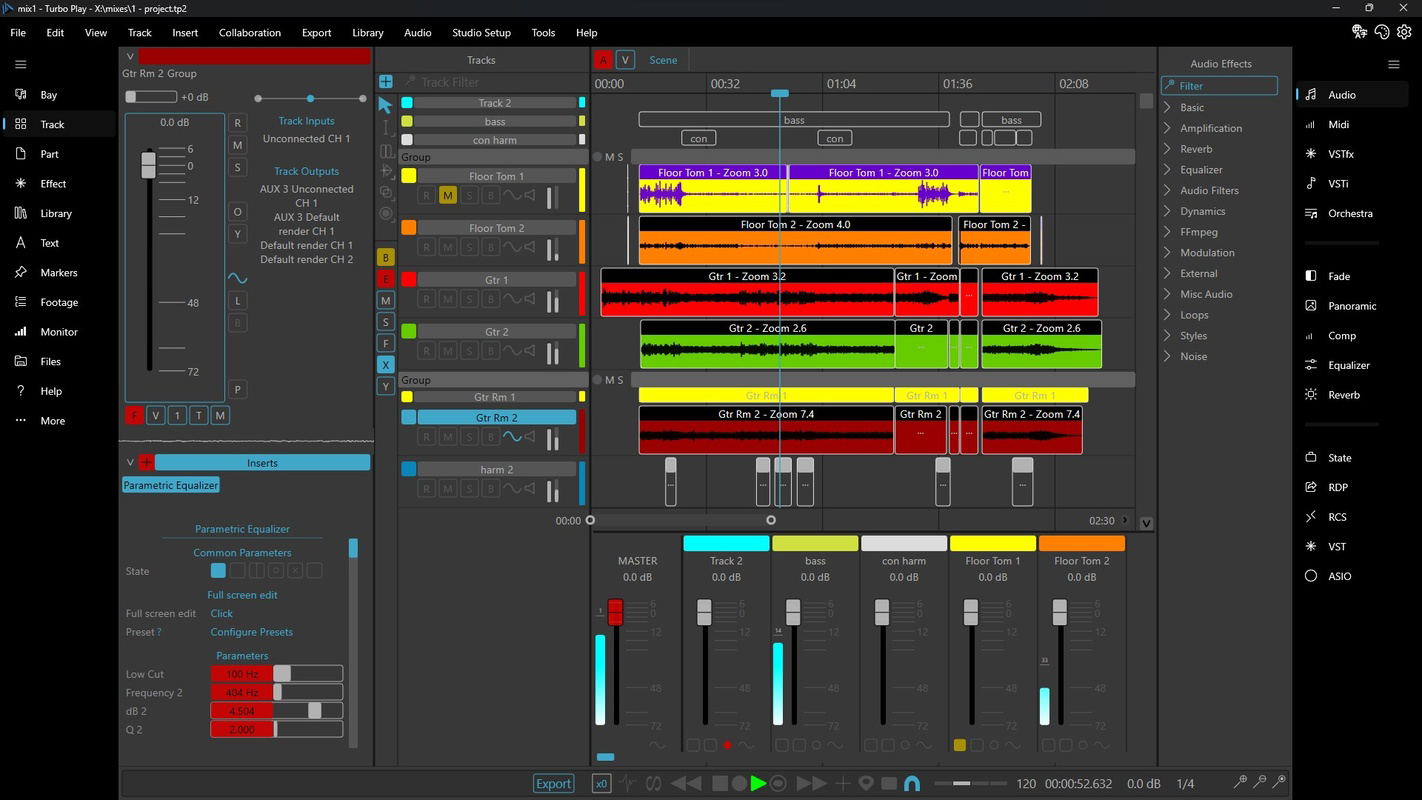
- Multi-layer timeline editing with video masking and color correction
- Comprehensive video tools: trim, split, merge, rotate, flip, speed change, watermarking
Interface, UX & Performance
Turbo Play features a clean, intuitive interface designed to balance functionality with ease of navigation. The layout organizes tools into clearly labeled sections, with a central timeline at the core of the editing workflow. Users can access effects, audio layers, and transitions through a streamlined menu system, reducing clutter and improving focus during editing sessions.
The visual style emphasizes accessibility, using color-coded indicators and real-time previews to guide users through each step. Navigation is consistent across screens, allowing users to switch between video, audio, and image editing modes seamlessly. The app supports touch-based gestures such as pinch-to-zoom and swipe-to-scrub, enhancing control over the timeline and preview window.
Although the developer did not list formal performance metrics, the app’s GPU acceleration and optimized rendering suggest smooth operation on mid-to-high-end Android devices. Responsiveness is expected to be strong during editing tasks, particularly when handling high-resolution content. Stability appears to be a priority, given the complexity of the feature set, though performance may vary depending on device capabilities.
Users can expect minimal lag during playback and export, especially when working within supported resolutions. However, specific requirements were not listed, so compatibility with older or lower-spec devices remains uncertain. Overall, the user experience is designed to be efficient, professional, and focused on creative output rather than technical friction.
Platform Compatibility & Technical Requirements
Turbo Play is available exclusively on the Android platform. The current version is 2.1.1, with a file size of 145MB, making it a lightweight download for most mobile users. The app is free to download and use, offering full access to its core features without in-app purchases or subscription models.
While the developer did not specify minimum OS requirements, the app’s use of GPU acceleration and support for 8K rendering imply it is optimized for modern Android devices. Compatibility with older versions of Android is not confirmed. Users are advised to ensure their device supports the latest graphics standards and has sufficient processing power to handle high-resolution video editing.
Although the developer did not list formal performance metrics, the app’s design suggests it is built for devices with at least 4GB of RAM and a capable GPU. The absence of cloud sync or cross-platform functionality was not disclosed, so users should expect a standalone Android experience. No external dependencies or additional software are required for basic operation.
Pros and Cons
Pros
- Comprehensive AI integration across video, audio, and image editing
- Support for up to 8K video rendering with professional formats
- Over 300 GPU-accelerated effects and transitions
- Advanced audio tools including VST support and orchestral library
- Intelligent file handling with OCR and OpenCV features
- Free to download and use with no hidden costs
- Streamlined interface with intuitive navigation
Cons
- Specific system requirements were not listed
- Compatibility with older Android devices is uncertain
- No information on cloud backup or cross-device sync
- Developer background and prior app history not disclosed
- Performance on low-end devices may be limited
- Platform availability is currently limited to Android
FAQ
Is Turbo Play safe to download and install?
Turbo Play is available through official Android channels and is free to download. The app does not require root access or unusual permissions, suggesting a secure installation process. Users should always download from trusted sources to maintain device safety.
Can I use Turbo Play on older Android devices?
The developer did not specify minimum OS requirements. While the app may run on older devices, performance may vary due to its GPU-intensive features and 8K rendering capabilities.
Does Turbo Play support video export in 8K resolution?
Yes, Turbo Play supports up to 8K rendering using H.264, H.265, and VP9 formats, ensuring high-quality output suitable for professional use.
Are there any in-app purchases or subscription fees?
As of the current release, Turbo Play is completely free to download and use with no in-app purchases or subscription models required.
Can I edit audio tracks using VST plugins?
Yes, the app includes VST support, allowing users to integrate third-party audio plugins for advanced sound design and processing.
Final Thoughts
Turbo Play emerges as a powerful, all-in-one multimedia creation tool tailored for modern mobile creators. Its integration of AI, high-resolution rendering, and professional-grade audio and video features makes it a standout choice for users seeking desktop-level capabilities on Android. Whether you're editing short-form videos, producing animations, or crafting audio content, Turbo Play offers a cohesive and efficient workflow.
While the lack of detailed system requirements and cross-platform support may limit accessibility for some users, the app’s free pricing model and robust feature set deliver strong value. Creators who prioritize quality, speed, and creative control will find Turbo Play to be a compelling addition to their toolkit.
Download Turbo Play now
Guides & Tutorials
How to install Turbo Play
- Click the Download button above.
- Once redirected, accept the terms and click Install.
- Wait for the Turbo Play download to finish on your device.
How to use Turbo Play
This software is primarily used for its core features described above. Open the app after installation to explore its capabilities.
User Reviews
No reviews yet. Be the first to share your experience.
You may also like
more
Que no te pillen¡
About !Que no te pillen¡Reviewed by Jason A. BilbreyShow MoreShow Less

3D Combat Zone
About 3D Combat ZoneOriginally released in 1983, 3D Combat Zone immerses players...

666: El día del portal
About 666: El día del portalOn June 6, 2006, Agent P. Stone uncovers a sinister...

80 in 1 Best Flash games
About 80 in 1 Best Flash games 80 in 1 Best Flash games is a collection of 80 fl...

ABYSS SEEKERーーWhat Do You See Deep in The Abyss
About ABYSS SEEKERーーWhat Do You See Deep in The AbyssIn ABYSS SEEKER, players...

ACA NEOGEO THE KING OF FIGHTERS 2002 for Windows
About ACA NEOGEO THE KING OF FIGHTERS 2002 for WindowsTHE KING OF FIGHTERS 2002,...